
Configure My Routings
On this page you select the positions for which you wish to be notified by email when an application is received.
Here's how:
1) Click on the My Account tab.
2) Click on Configure My Routings.
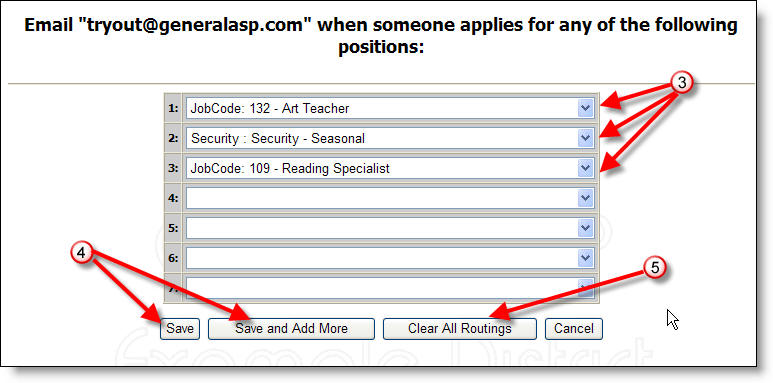
3) Click on the arrows and select the positions you wish to monitor from the pop up menu.
4) Click to Save your selections or Save and Add More positions.
5) Click on Clear All Routings if you wish to start over with your position selections.
More Information: